
You Can Now Register Your Business on ChatGPT
ChatGPT is changing how customers discover businesses online, and now business owners have a new way to manage their presence on the platform.
OpenAI has introduced ChatGPT Business Hub, allowing eligible businesses to claim their business profiles, verify ownership, update company information, and access insights into how people interact with their businesses through ChatGPT.
For businesses looking to strengthen their online presence, this is an opportunity worth exploring.
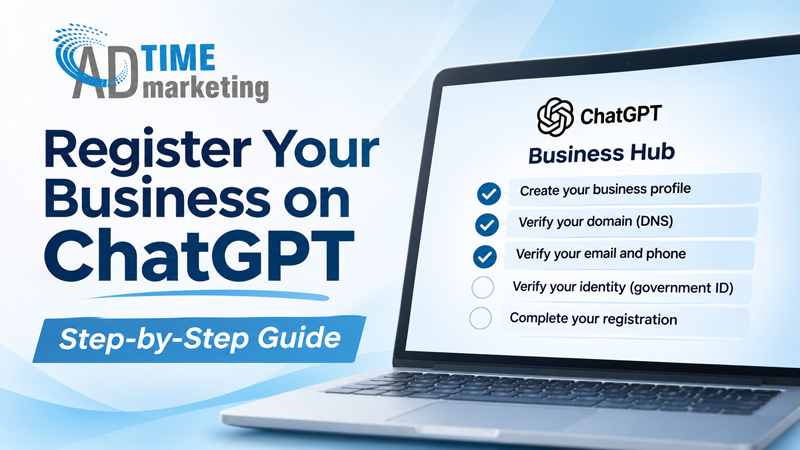
What Is ChatGPT Business Hub?
ChatGPT Business Hub is a platform that allows business owners to manage how their company is represented on ChatGPT.
Once your business is claimed and verified, you can:
- Update your business description, website, logo, and company information.
- Provide accurate details about your products and services.
- Access insights into how frequently your business appears in ChatGPT and how many users click through to your website.
- Help keep your business information accurate as more consumers use AI to research companies.
How to Register Your Business on ChatGPT
Getting started is straightforward. Here’s how:
Step 1: Visit ChatGPT Business Hub
Go to chatgpt.com/business-hub and sign in to your ChatGPT account.
Step 2: Find Your Business
Search for your business name and select the correct listing. Eligible businesses may also have the option to create a new profile.
Step 3: Verify Your Business
Follow the verification instructions provided by ChatGPT. Depending on your business, you may be able to verify ownership through your business email, phone number, website domain, or another supported method.
If you choose domain verification, you’ll need to add a DNS TXT record to your website’s domain settings. Your website developer or hosting provider can help with this step.
Step 4: Verify Your Identity
Complete identity verification through Persona. This may require a government-issued ID and documentation confirming your connection to the business.
Step 5: Complete Your Business Profile
Once approved, update your profile with accurate business information, including your company description, services, website, logo, and photos.
Step 6: Monitor Your Analytics
ChatGPT Business Hub provides insights into business mentions and website clicks over a rolling 28-day period.
Analytics may take time to populate, depending on reporting availability and activity levels.
Why Should Businesses Register?
Consumers are increasingly turning to AI-powered platforms like ChatGPT to research products, compare services, and discover businesses.
Just as companies have spent years optimizing their presence on Google, maintaining accurate business information on AI platforms is becoming another important part of digital marketing.
Claiming your business does not guarantee that ChatGPT will recommend your company more frequently. However, it gives you greater control over the information you provide to the platform.
Get Ahead of the Curve with AdTime Marketing
At AdTime Marketing, we’re always looking for new ways to help businesses strengthen their visibility and reach potential customers.
From traditional advertising and billboards to digital marketing and emerging AI platforms, we help brands adapt to the changing advertising landscape.

The billboard you thought was too expensive might actually be within your budget. Here’s why.
When most businesses think about billboard…

AdTime Marketing is excited to announce the launch of five new billboards across Chicago, Illinois, for our client, Reed Matrix, a mental health…